Skip to content
Everyone sells the portal.

The portal wins the client. The back office keeps them.

The store is what your clients see. The back office is what runs your business: catalogue, stock, production, returns and invoicing in one login, instead of four subscriptions and a spreadsheet.

  • Orders arrive already typed in
  • On-account orders become Xero invoices on fulfilment
  • Stock tracked by size, with low-stock alerts
admin.smarterportals.com
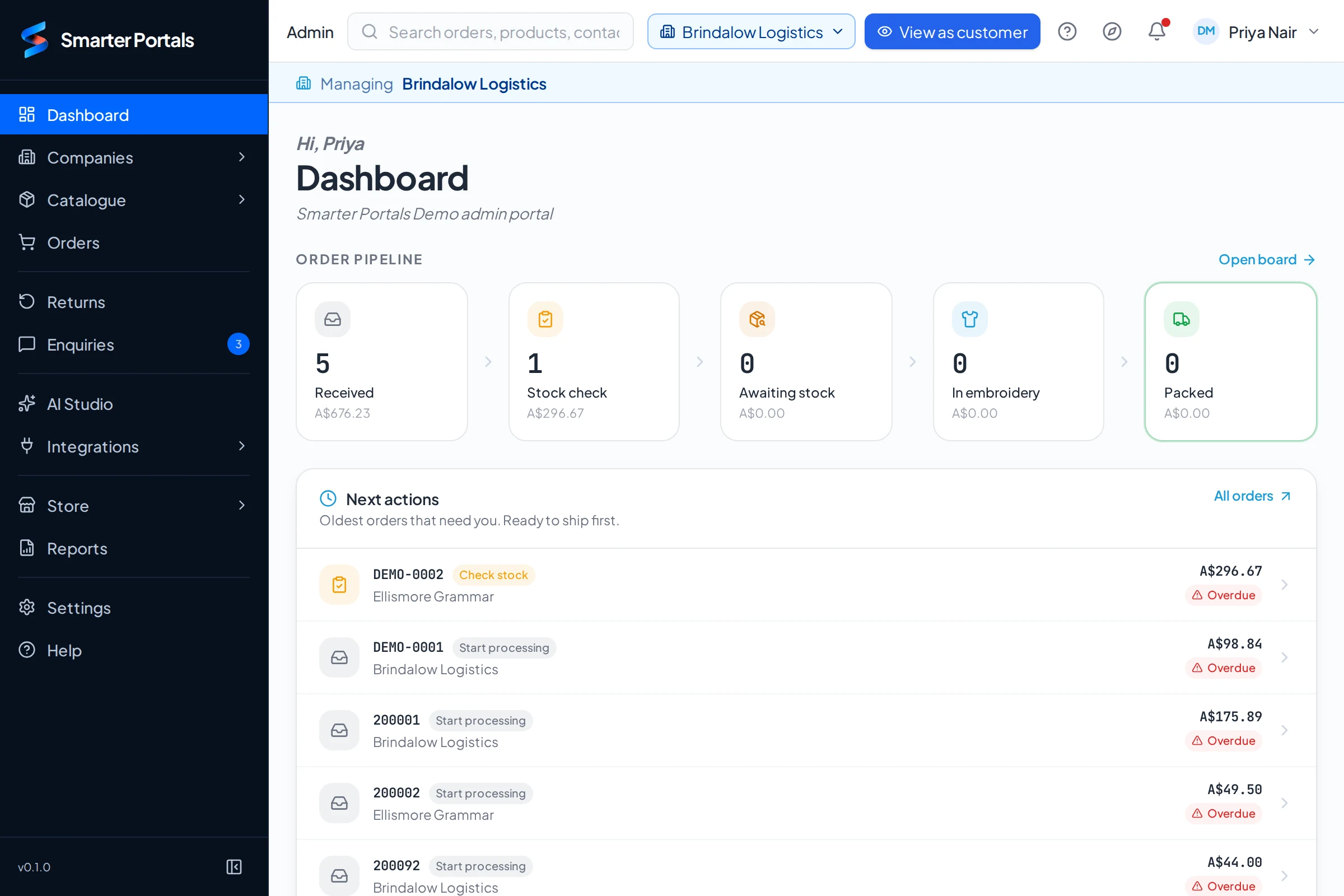
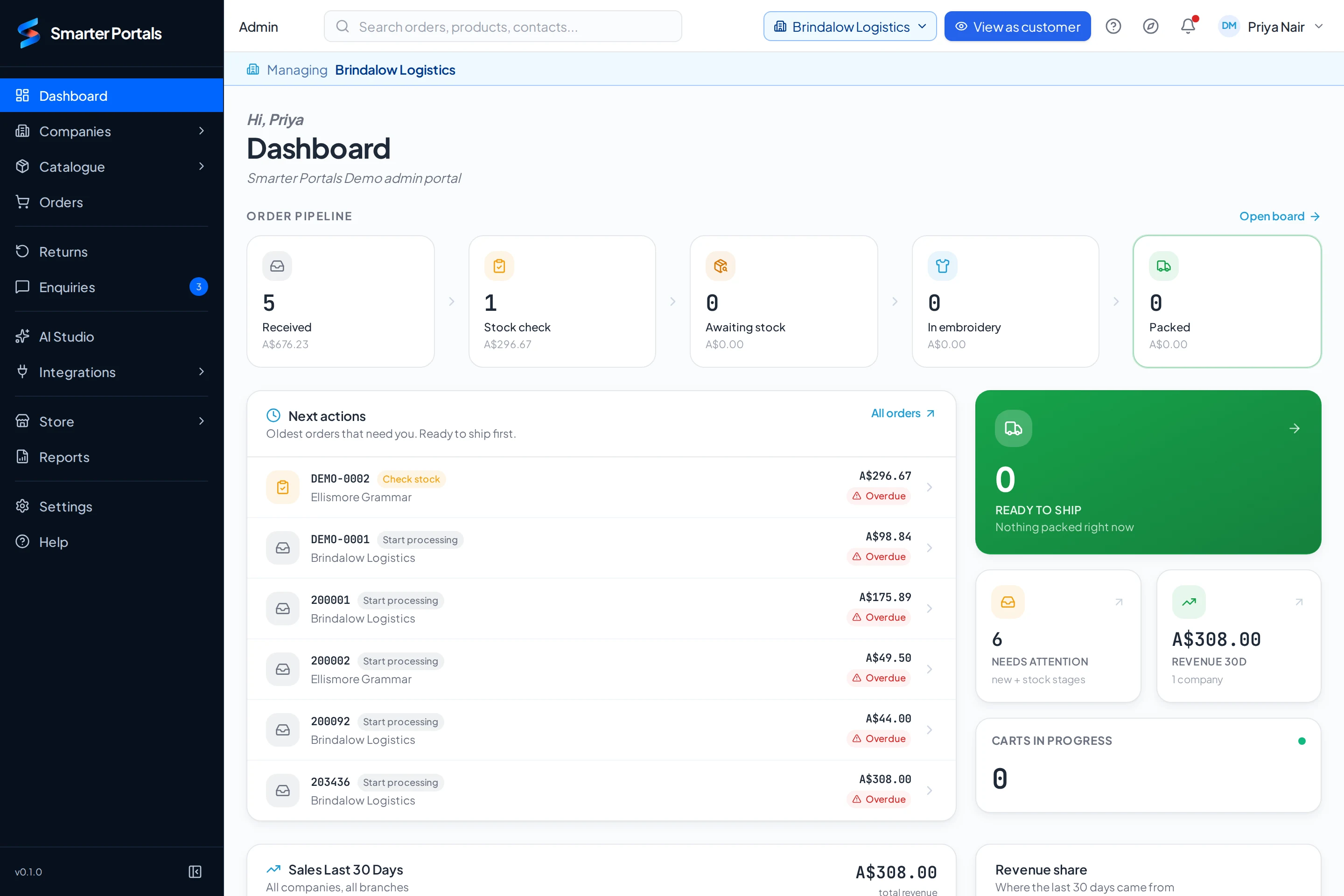
The supplier's admin dashboard: the order pipeline from Received to Packed with dollar values, and the oldest orders needing attention across every client

Your dashboard. Every client’s orders, by stage, with the oldest first.

One login for you. A branded store for every client.

Your clients get a store. You get the back office.

Every client you supply gets a branded portal for their people. Behind all of them sits one system where you run the catalogue, stock, production and invoicing, the part your competitors don’t show you, because most of them don’t have it.

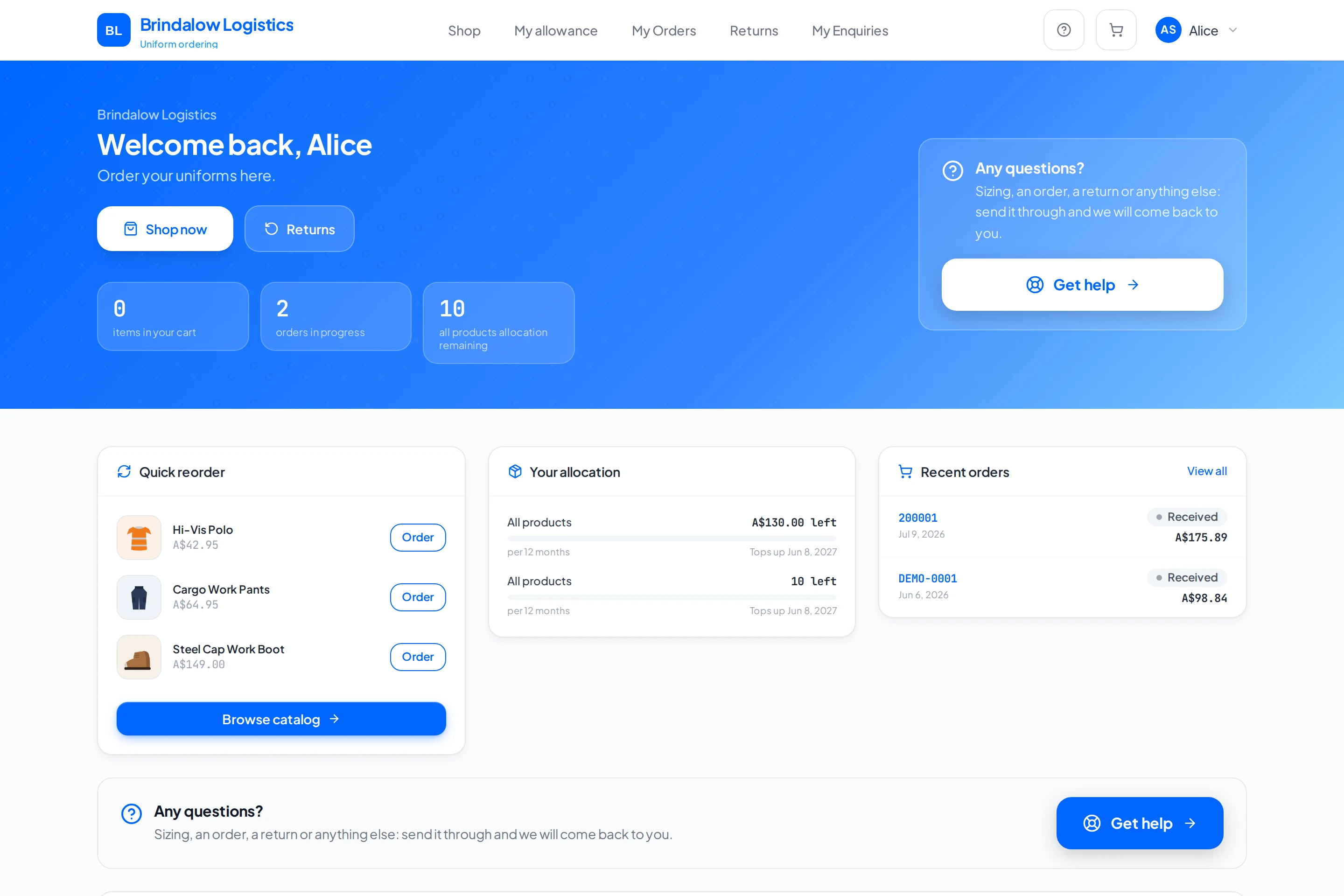
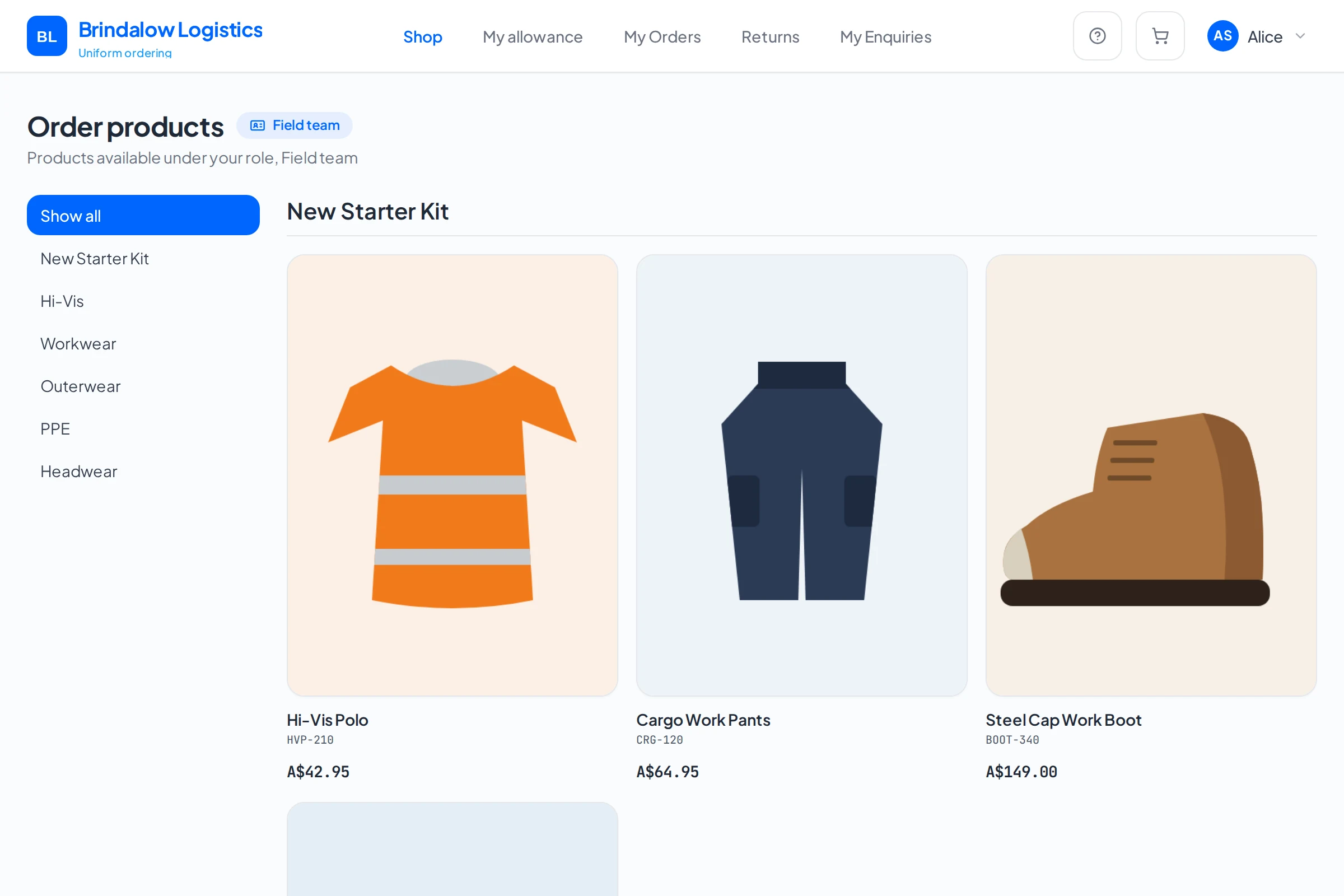
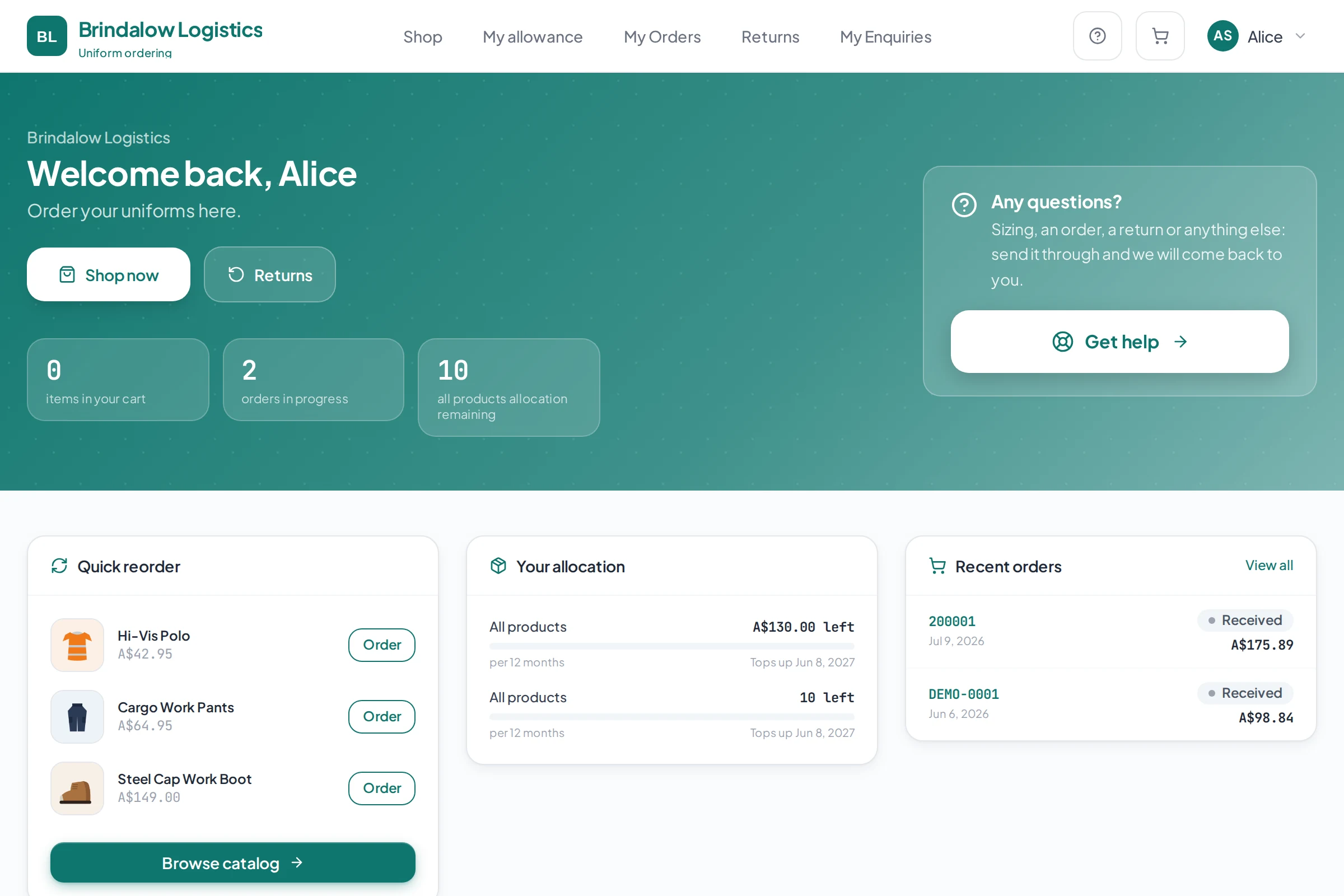
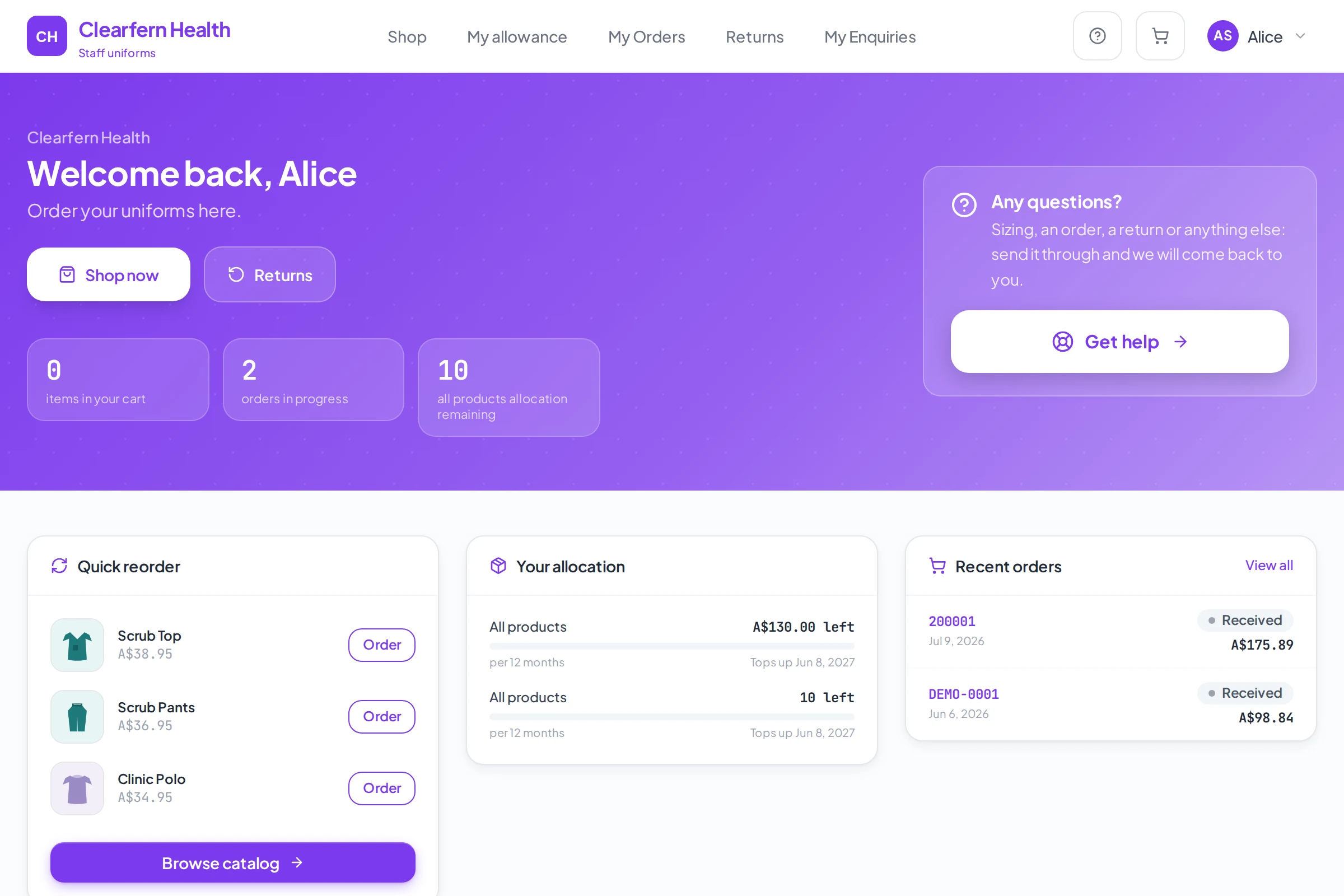
A client's branded uniform portal: welcome screen with the allowance left, quick reorder and recent orders

The front: Your client's portal

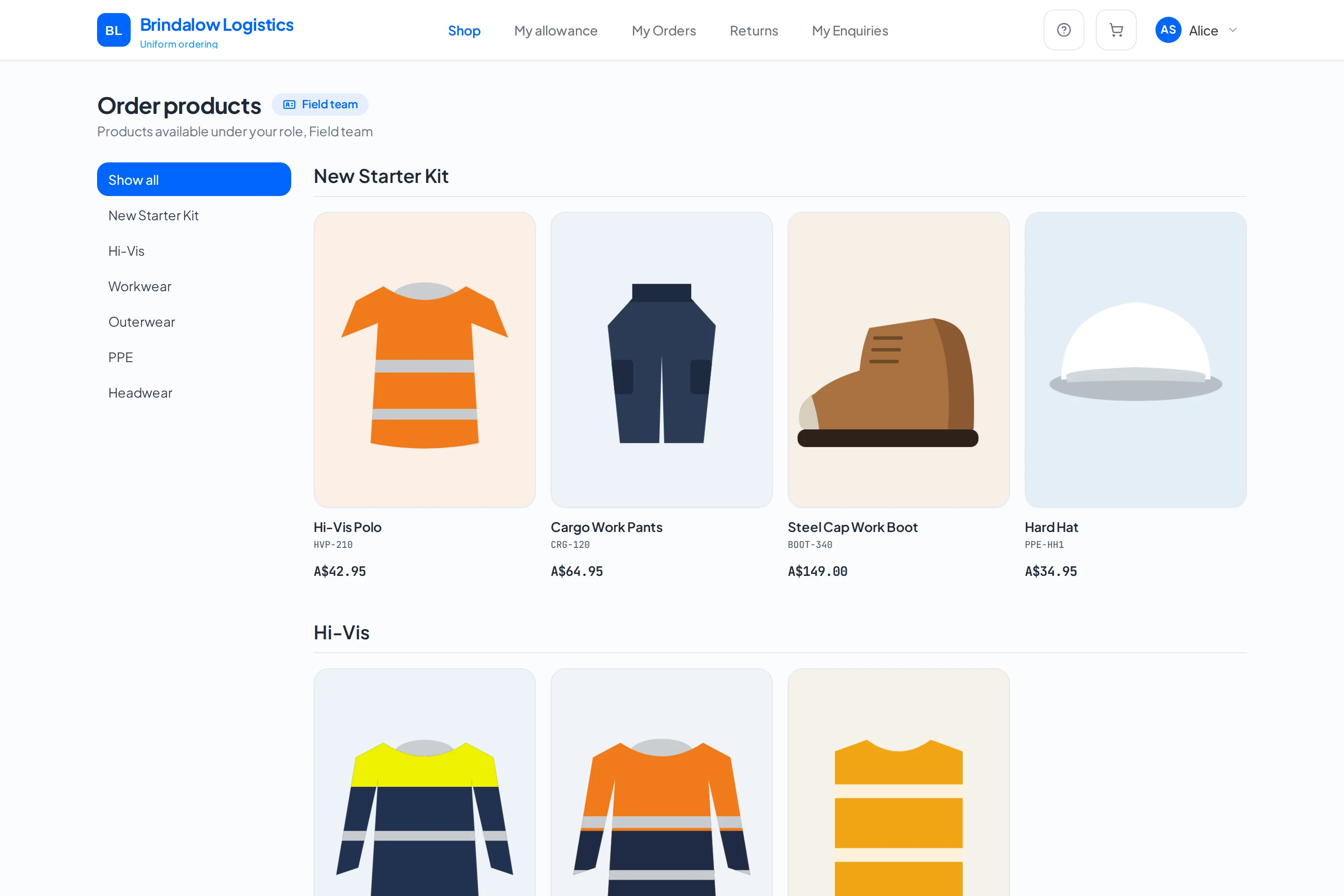
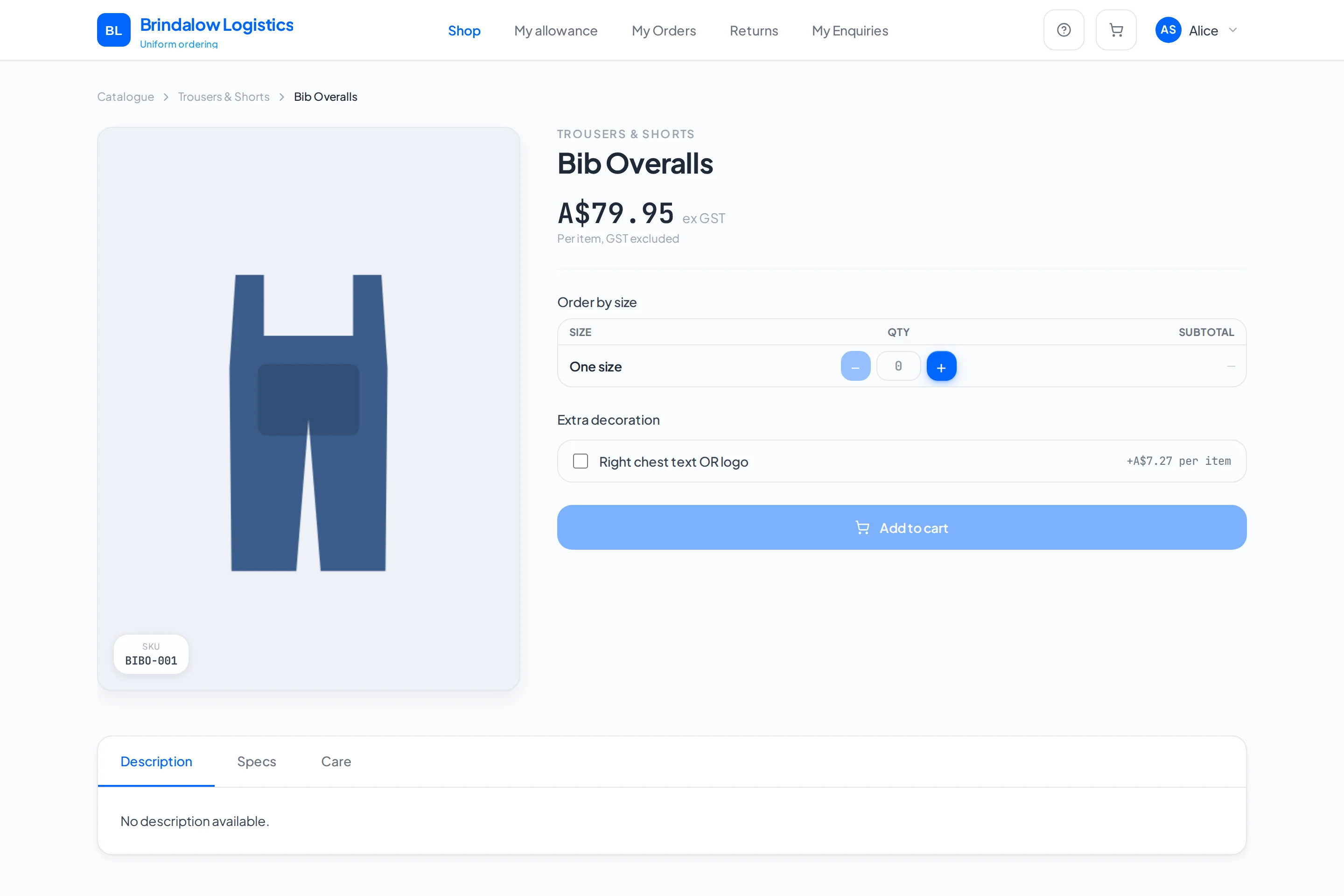
Their logo, their colours, their own sign-in. Staff order only what their role allows, in the right size, from stock you actually hold.

  • Allowances enforced at checkout, not chased later
  • Each role sees only its approved range
  • Size charts that cut the return rate
  • Returns handled in the portal, not by phone
The supplier's admin dashboard: the order pipeline from Received to Packed, and the next orders needing attention

The back: Your business system

Catalogue, stock, orders, production, returns, enquiries and reports in one login, instead of four subscriptions and a spreadsheet.

  • Live stock by size before you promise a date
  • Every decoration job on one board
  • Invoices into Xero without re-keying
  • Low-stock alerts before a client finds out

Works with

  • Xero
    Invoices, payments and contacts sync automatically
  • Stripe
    Card payments at checkout
  • MYOB
    Invoices and contacts sync from your accounts
  • Workday
    Starters, leavers and roles sync from any major HR system
Everything the back office does, in full

Every order touches four systems.

Now it touches one.

Clients, catalogue, stock, approvals, production and invoicing. One login, one screen, every client you supply.

admin.smarterportals.com
Smarter Portals admin dashboard, with the order pipeline, the next actions queue, enquiries and reporting all on one screen
Client portals

Your client’s people see their range.Nothing else.

They log in and see their range, their sizes, their budget. You set all of it once and stop fielding sizing emails.

brindalow.demo.smarterportals.com
Catalogue in a Smarter Portals client portal
Employee Portal
Approved Uniform Ranges
Sizing
Allowances
Budgets
Approvals
Company Branding
Order Tracking
Administration
Reporting
One order, start to finish

The portal takes the order. The system does the rest.

Most online stores hand you an order and stop there. Smarter Portals carries it the rest of the way: onto your production board, onto a packing slip, into Xero, and back to the person who ordered it as tracking.

  1. 01

    The order arrives already checked

    From the approved range, in the right size, with the allowance checked and the stock confirmed. No phone call, no email, no order form.

    #200997 · 3 items · A$147.85

  2. 02

    It lands on your board

    Straight into Received, with the person, their branch and the job number already on it. Nobody types it in again.

    Received · job BL-2231

  3. 03

    Production has what it needs

    Embroidery and logo details travel with every line, and the packing slips print for the whole batch in one go.

    Left chest logo · 3 lines

  4. 04

    Invoiced and on its way

    On account? The Xero invoice raises itself. Mark it shipped and the person who ordered sees the tracking without having to ask you.

    Shipped

~$20

of admin in every order done by hand

Typing the order in
12 to 18 min
Raising the invoice
5 to 8 min
Making up the packing slip
3 to 5 min
Reconciling it later
2 to 4 min

Multiply that by your monthly order count. That’s the number.

See it running

Estimated time for a typical phone or email order handled by hand, at around $40 an hour.

That was one order. This runs underneath all of them.

  • Catalogue

    Priced once. Every portal draws from it.

  • Stock by size

    Live counts, so you promise a date you can hold.

  • Returns

    Raised in the portal, with the reason attached.

  • Reports

    Spend by client, branch and role, ready at renewal.

Everything the back office does
Your back office

See every order. Chase none of them.

Orders arrive typed in, with the staff member, their branch and the job number already on them. Your team works the board; nobody works the phone.

admin.smarterportals.com/orders
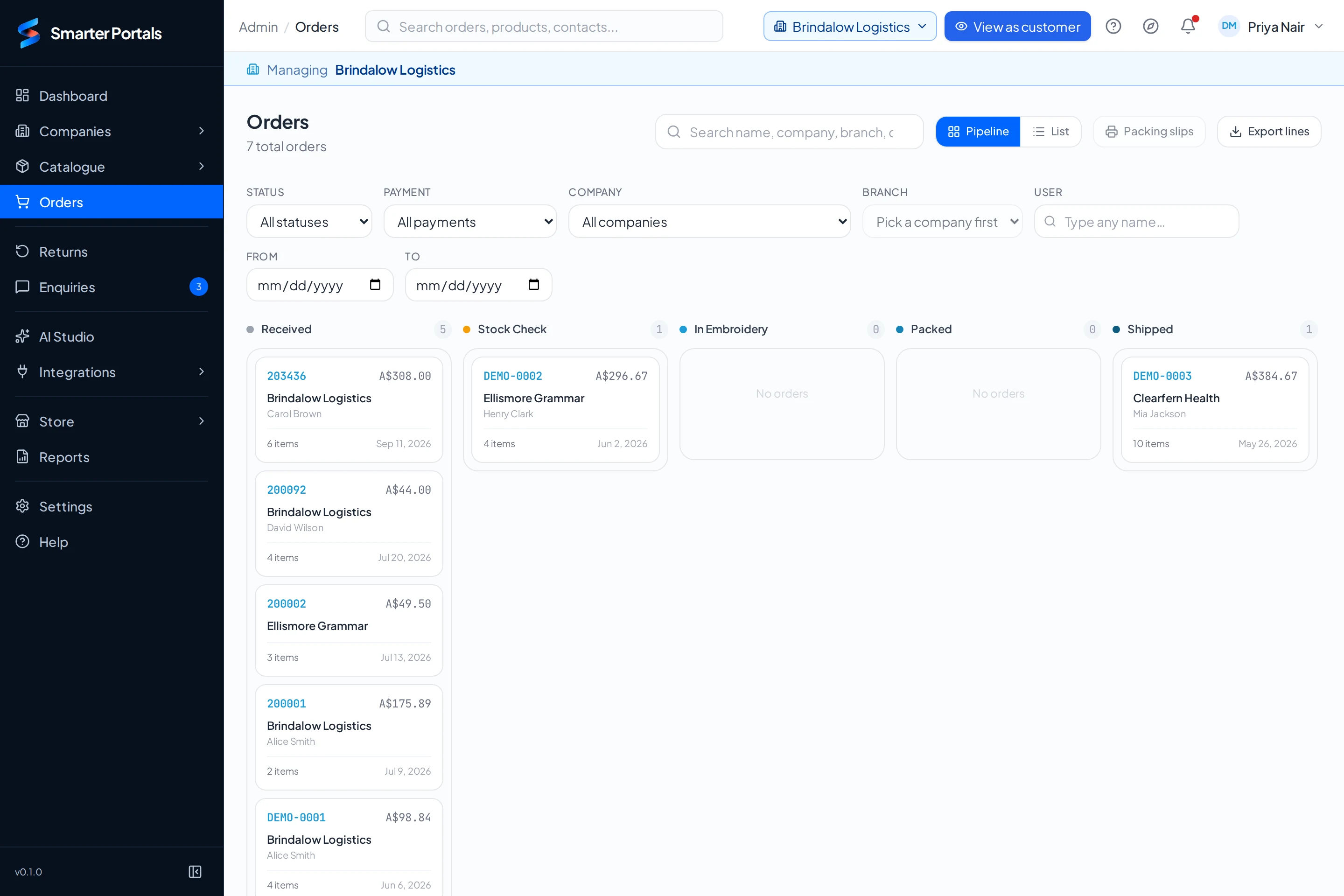
The production board: orders from several example clients in columns by stage, with packing slips and export buttons

One production board for every client

  • Every client's orders on one board, by stage: Received, Stock check, Awaiting stock, In embroidery, Packed, Shipped, Delivered
  • Plain stock picks can run a simpler three-stage board
  • Filter by client, branch, staff member or payment
  • Mark it shipped with the carrier and tracking, and the staff member sees it on their order
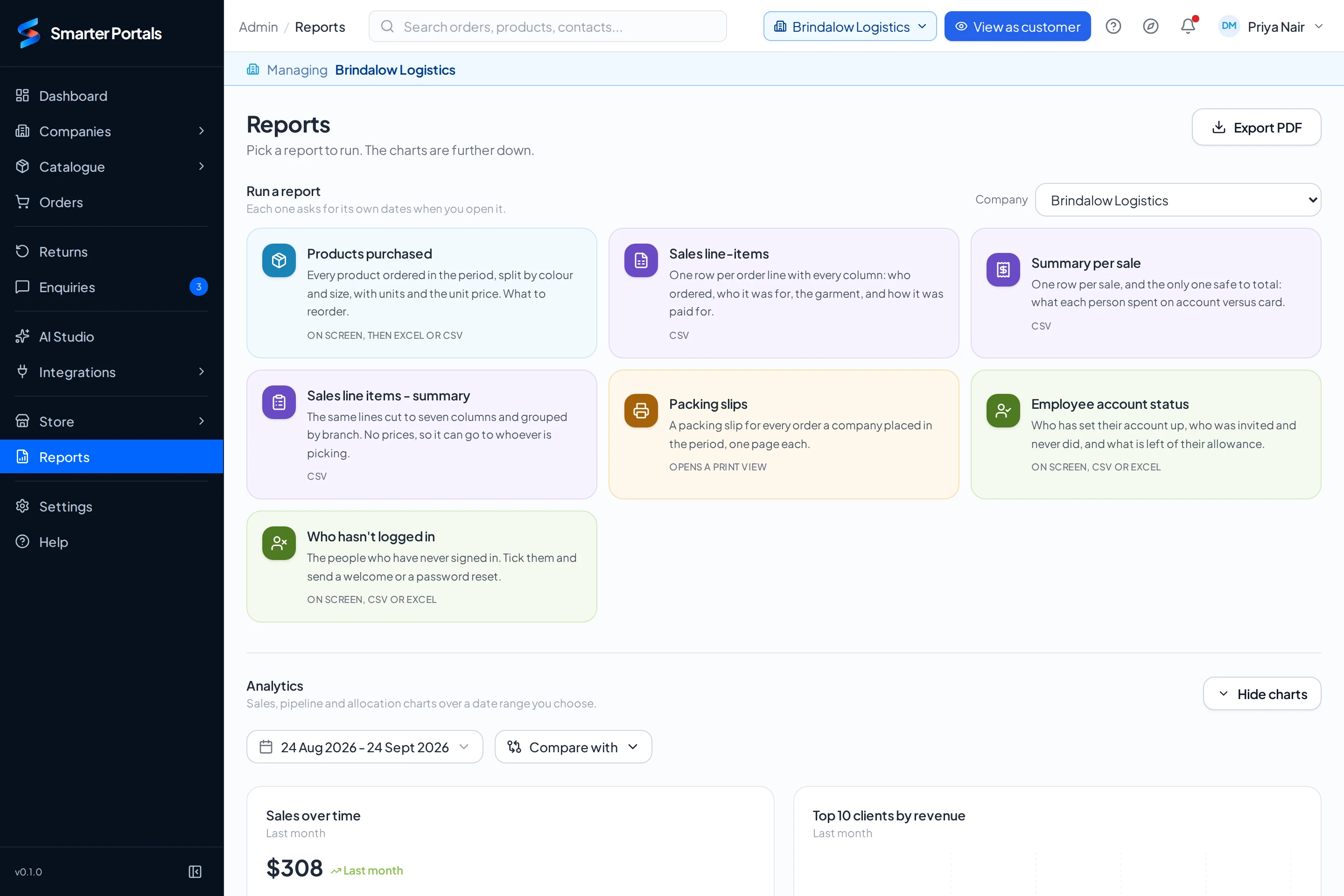
  • The reports screen: reports to run for a client, and analytics over a chosen date range

    Know how it is going

    Sales over time, top clients, top products, the order pipeline, embroidery throughput and allowance use, over any date range.

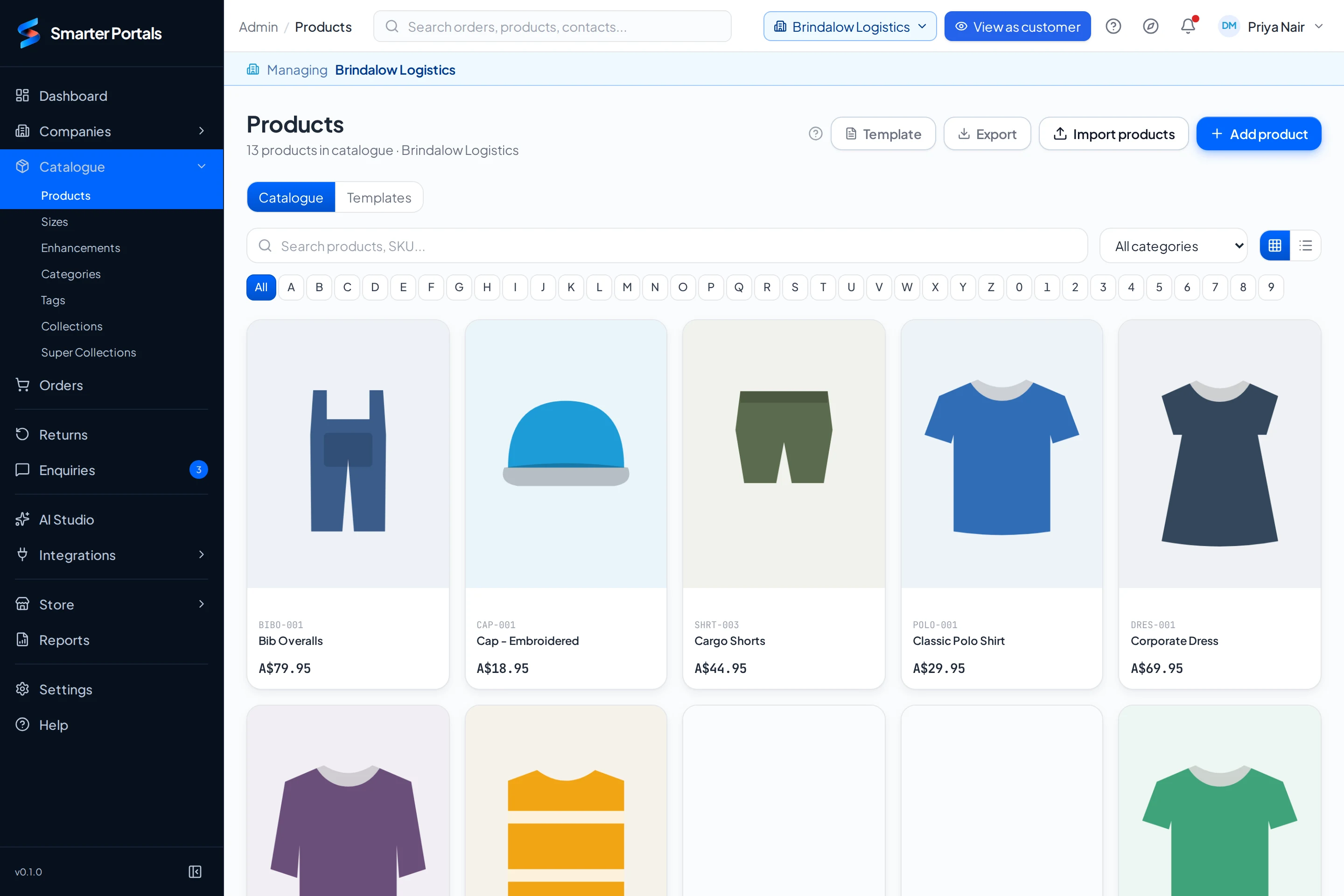
  • The product catalogue for one client, with import, export and add product buttons

    Stock you can trust

    On-hand stock by size, a low-stock threshold per product with alerts, and your choice of whether anyone can order over it.

  • The rest of the week

    The jobs that used to live in your inbox now have a place of their own.

    • Packing slips for every order a client placed in a period, printed in one go
    • Returns and exchanges raised from the order, with their own stages
    • Every staff question in one enquiries inbox
    • Abandoned carts, so you can see what nearly happened
Getting paid

Get paid without the retyping.

The order carries its own paperwork through to Xero, so month end is matching, not typing.

  1. Order placed
  2. Packed
  3. Shipped
  4. Xero invoice
  • On account

    Xero invoices on fulfilment

    Connect Xero and on-account orders become invoices when they are fulfilled, against the client's Xero contact. Invoices, payments and contacts stay in sync. Nobody retypes a line.

  • By card

    Stripe at the checkout

    Staff can pay by card, debit or bank transfer through Stripe, reconciled with Xero. Connect your own Stripe account and card payments land with you.

  • On approval

    Quotes that turn into orders

    For clients that buy on approval, an order can come in as a quote request. You convert it to an order when they say yes.

  • Their paperwork

    Their PO or job number, on every order

    Rename the checkout field per client: Cost centre, Job number, PO. Make it required and it is never missing when you invoice.

  • Per branch

    Bill the branch or the company

    Each branch can be billed in Xero against its own contact or the company's, and can require manager approval before an order goes through.

  • Anything else

    Webhooks and API keys

    Need something else connected? Talk to us about a custom integration.

How the Xero and Stripe connections work
How it works

Three moves. Then it runs itself.

01

Connect

Your catalogue, your clients, their sites, roles and budgets. Loaded once.

HR systemSupplier catalogueBudget rulesSitesRoles
02

Assign

Every person sees their range, their sizes, their budget. Nothing else.

WarehouseOfficeField
Hi-Vis Jacket
Orange · L
Steel Boots
Black · 9
Hard Hat
Navy
03

Automate

Orders under the limit approve themselves. The rest lands on your board, already checked.

Rule: Orders under $150 → auto-approved
T. Nguyen
Polo, size M
$64
pending
S. Ahmed
Cap
$22
pending
R. Costa
Fleece Vest
$88
pending
Who it’s for

One platform. Whatever you supply.

Trade crews, hospital wards, school families. Each client gets its own catalogue, its own rules and its own reports, set up in the same system rather than built from scratch.

Supply something that isn’t on this list?

See it running

Workwear & Trade suppliers

Thirty utes. One account. No arguments.

Who orders
Each worker, on the company's account
The rule that matters
A yearly allowance per worker, and a job number at checkout
What lands on your board
Every order by branch, with the job number on it
How they pay
On account. The Xero invoice raises itself

What their store stocks

  • Hi-vis polo

    Site crew

  • Cargo pants

    Allowance item

  • Work boots

    Sizes 6 to 14

  • Wet weather jacket

    Winter issue

Before and after

Today someone phones the order in and the office pieces it together at month end. Here every order arrives with the worker, the branch and the job number already on it.

More on portals for workwear & trade suppliers
Their brand, not yours

Your clients’ brand. Never yours.

Every portal carries your client’s name, colours and logo. Yours appears once, in small type at the bottom, and only if you want it there.

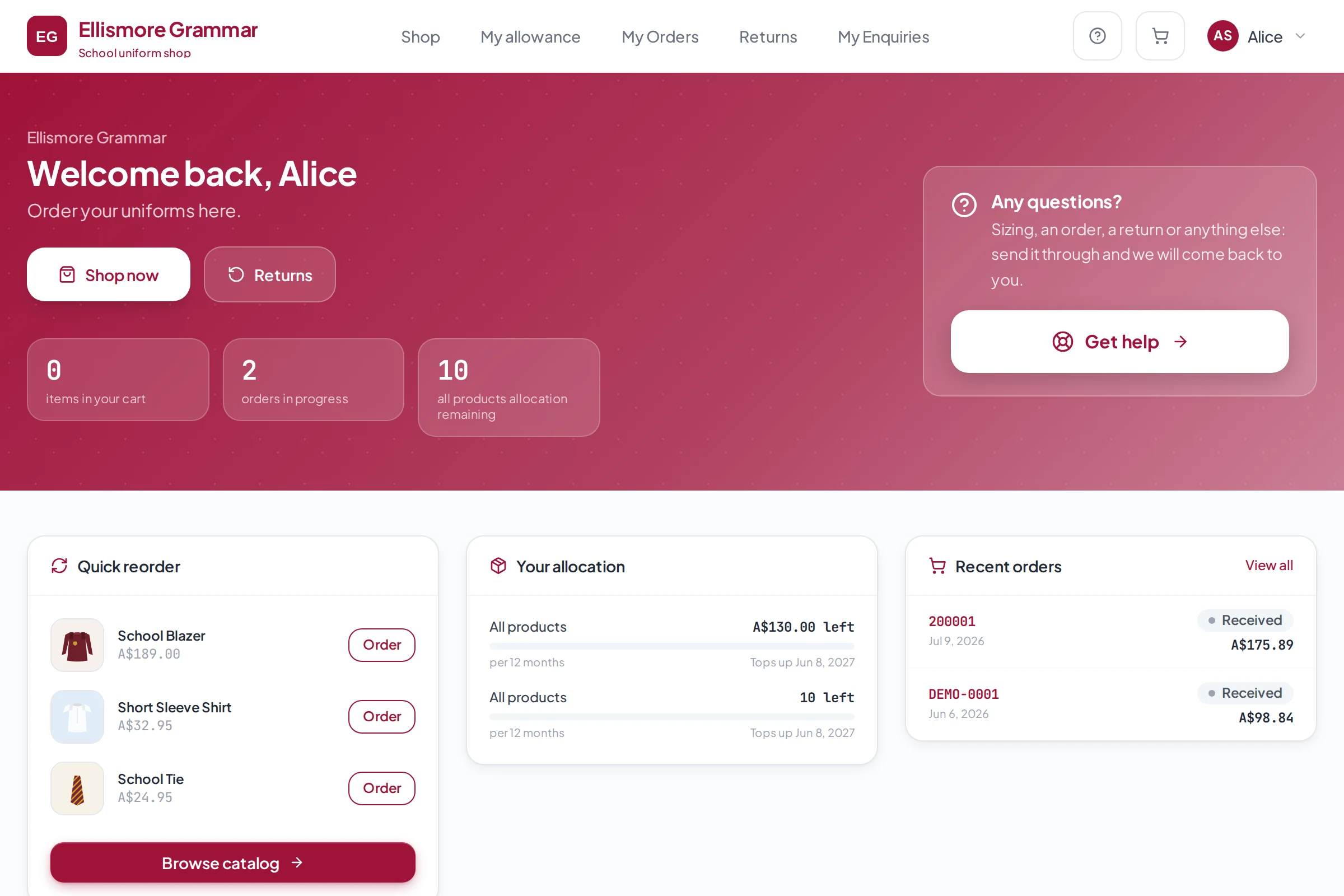
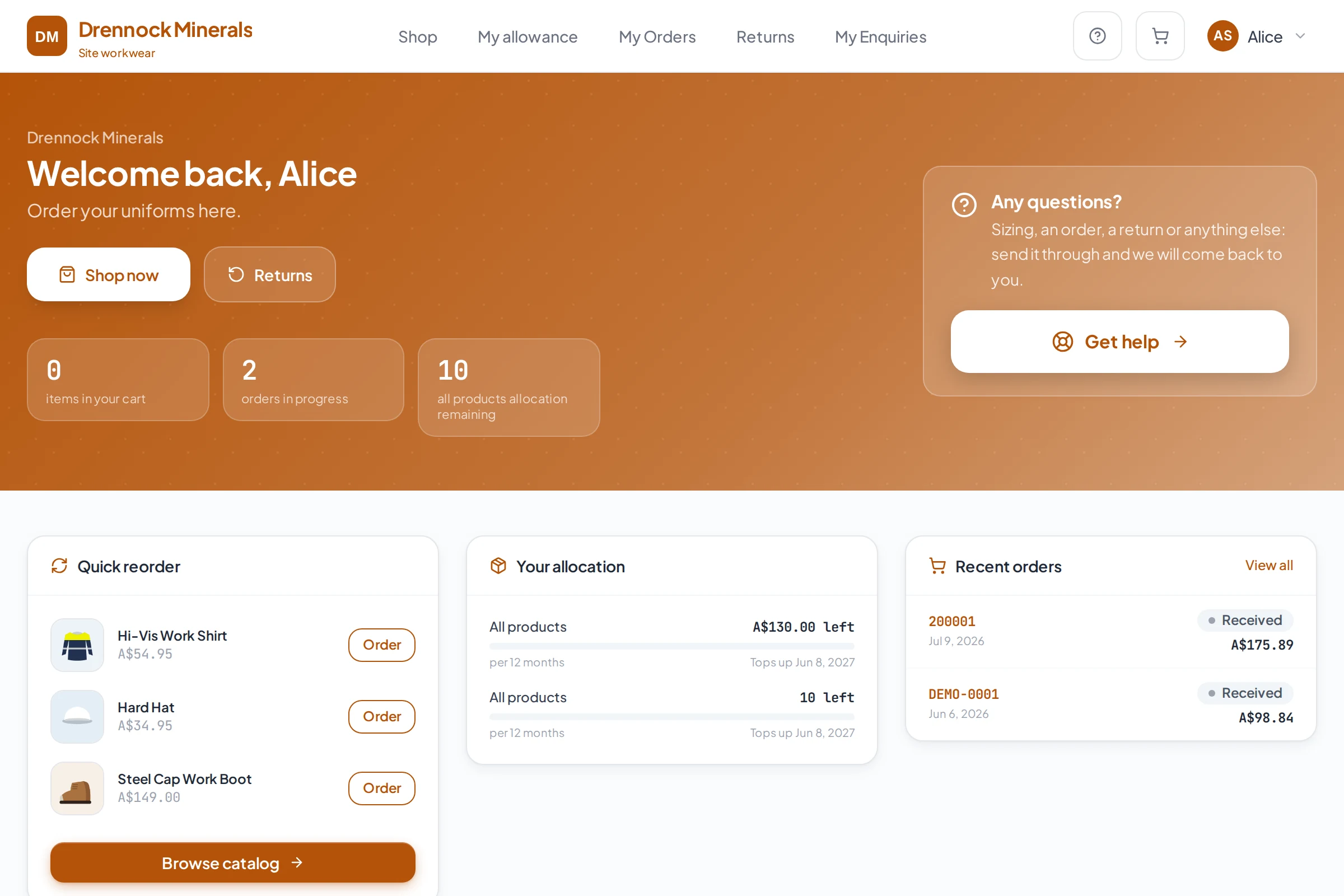
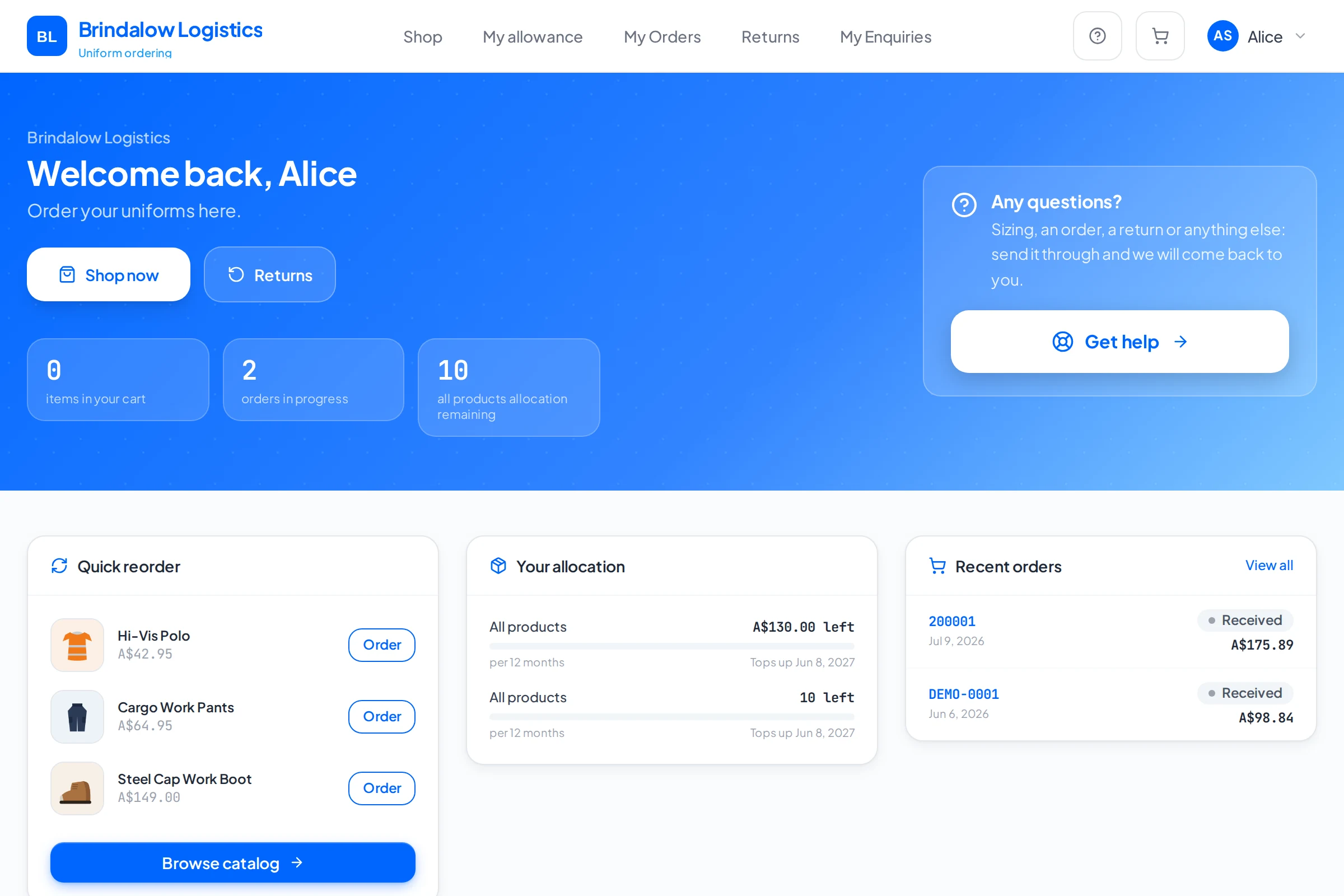
The organisations shown are invented and the data in each portal is example data. They show how one platform is branded for each customer. They are not customers of Smarter Portals.

Brindalow Logistics

Freight & logistics
Powered bySmarter Portals

Clearfern Health

Allied health
Powered bySmarter Portals

Ellismore Grammar

K to 12 education
Powered bySmarter Portals

Drennock Minerals

Resources
Powered bySmarter Portals

A new client’s store, in their colours, live the same day.

The “Powered by” line is yours to keep or remove.

See it running
One engine, every portal

One platform. Every workflow underneath.

Uniform Portals

Schools

Staff

Clients

Training

Documents

Communities

Orders

Suppliers

Custom

Smarter Portals started with uniform ordering. The same engine now runs every portal above: one catalogue, one set of rules, one record of what happened.

One engine.

Every portal on it.

Problems that used to need a subscription each.

See what runs on it
Portal ecosystem

You already run their ordering. Run the rest of it too.

Your client has a uniform portal. The same platform gives them staff records, training, documents and client jobs, under your name, on your account.

Each portal does its own job, and because they run on one system they share what they know: add a starter once and their entitlement, their training and their kit all follow. Tap any portal to see what it shares.

One technology layer
More portals, same system

Add a portal, add it to their bill.

Each extra portal is more you can charge for, and one more reason your client stays with you. Every portal carries your brand, never ours.

Built properly

Enterprise-ready from day one.

Smarter Portals is a technology company building purpose-built ordering portals. We started with uniform ordering because we ran a uniform business, and the platform underneath now runs staff records, training, documents and client jobs on the same engine.

Suppliers run it for their clients. Some organisations run it themselves.

See it running

Reviewing this for procurement? Ask us anything →

Secure

Encrypted in transit and at rest, with audited access and daily backups.

Scalable

From one client to hundreds, without a new instance for each.

Customisable

Your modules, your rules, your brand.

Integration ready

Xero and Stripe built in, with API keys and webhooks for your other systems.

Cloud basedLive

Nothing to install. Always current.

Role-based permissions

Every user sees exactly what they should.

Central management

Run every portal from one console.

Works in your market

Multi-currency, and configured for your tax regime: GST, VAT or sales tax.

Which client would you set up first?

No re-platforming, no migration project.

Start a conversation

Tell us what you need.

Tell us about your business and who you supply, and we’ll show you a portal set up the way your clients order. No pressure, no script.

We use your details to answer your enquiry. Nothing else, ever. See our privacy policy (opens in a new tab).

Prefer email
[email protected]
Response time

Within one business day.

Where we work

Wherever you supply. Any currency, any tax regime.

One platform. Every workflow underneath.
Two sides, one system

They tap. You see everything.

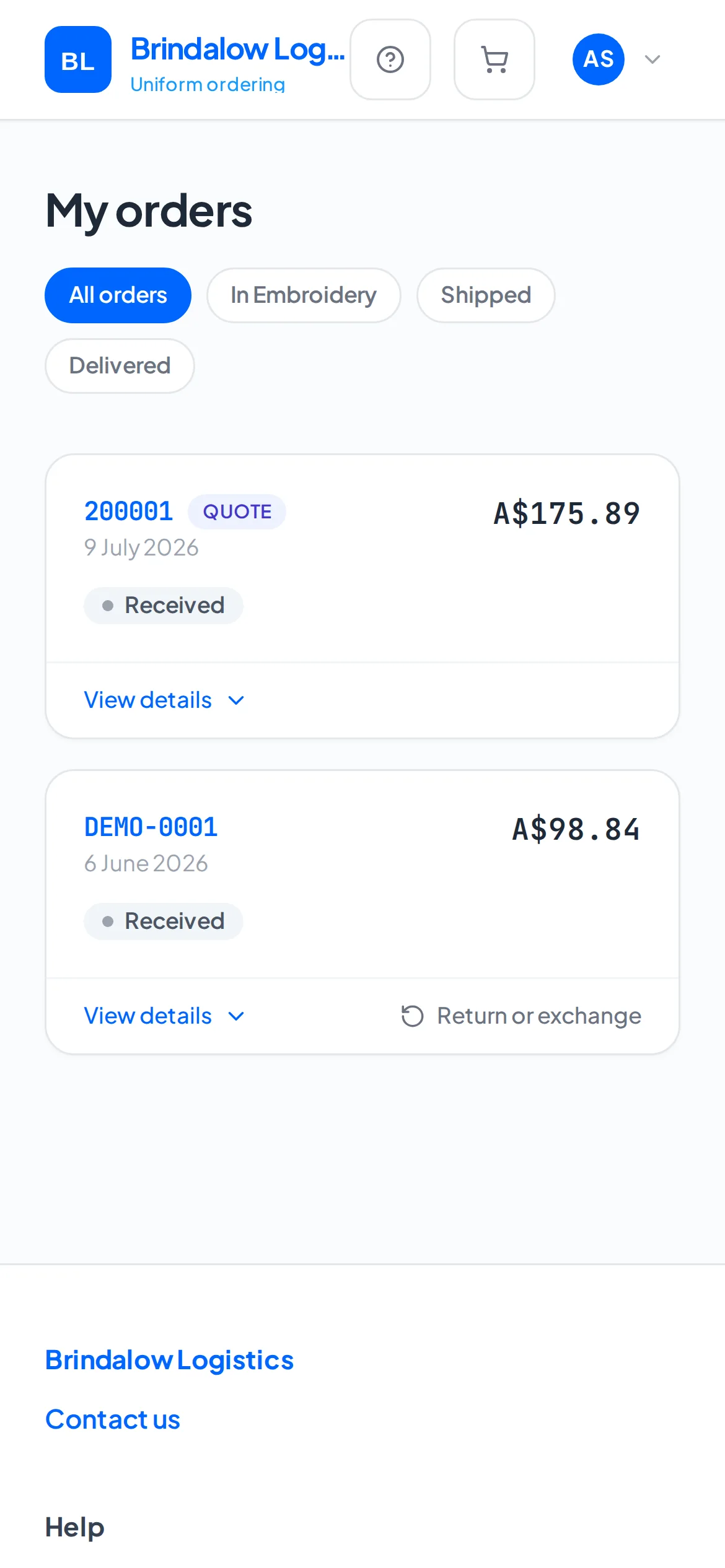
Staff order status in the Brindalow phone app
Approved
  • Browse your approved range
  • See your allowance
  • Order in a tap
  • Track delivery
  • Manage your profile

Zero double handling. Set the rules once. Nobody re-types anything, ever.